
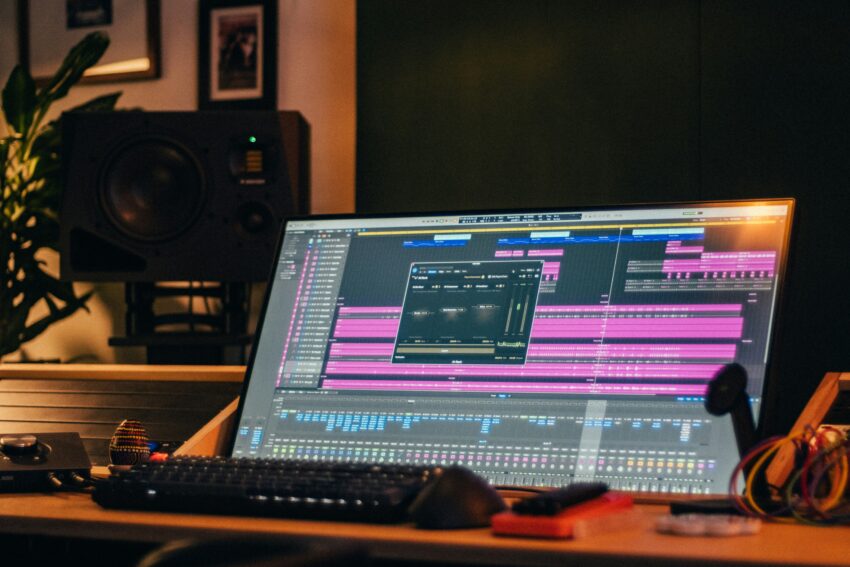
The message says “here are the stems!” and four files come with it. Vocals. Drums. Bass. Other. Every one is exactly the same length, down to the sample. There is no count-in, no silence at the top, no track called “gtr DI 2.” You know what happened before you open a single file. Your client bounced their song to stereo, ran it through a separation tool, and sent you the output. Those are AI separated stems, and they are not a session.
This is now one of the most common ways a mix project starts badly. Separation tools are everywhere: Moises, LALAL.AI, Ultimate Vocal Remover, RipX, the splitter built into Logic. They are genuinely impressive, they take about ninety seconds to run, and they have quietly convinced a generation of artists that getting you the stems is something you do with a browser tab rather than something you do with a session.
Your client is not trying to sabotage you. They think they solved a problem for you. What they actually did was hand you a finished mix, taken apart by a computer’s best guess, and reassembled into four files you cannot un-bake.
How to Spot AI Separated Stems in Sixty Seconds
You do not need to be suspicious of every client. You just need a fast check before you commit to a price or a deadline.
Look at the lengths. Tracks bounced from a real session share a start point but rarely land on the same sample at the end. AI separated stems are always identical in length, because every one of them came from the same stereo file.
Look at the names. Vocals, drums, bass, and “other” is the default four-stem output of nearly every separation model on the market. No engineer has ever bounced a submix and named it “other.”
Solo the drums and listen to the last chorus tail. If vocal reverb is sitting inside the drum file, the model could not work out where the reverb belonged. That is your answer, and it took eight seconds.
Listen to the top end. Older separation models cut off well below full bandwidth. Cymbals sound dull and faintly glassy. Sibilance goes strange in a way no de-esser caused.
Sum them. Import all four, line them up, and listen. If they add back up to something suspiciously close to a finished, mastered record, complete with bus compression breathing and a limiter clearly working, you are not looking at a multitrack. You are looking at a mix that has been dismantled.
Why AI Separated Stems Cannot Be Fixed in the Mix
This is the part worth understanding properly, because you will need to explain it to a client who does not want to hear it.
When a song gets mixed, dozens of tracks collapse into two channels. Frequencies overlap and share space. Reverb from the snare smears across the vocal range. Kick and bass occupy the same low end and always have. Once that stereo file exists, the information about which sound owned which frequency is gone. It was never stored anywhere.
Separation does not recover that information. It predicts it. The model was trained on thousands of real multitracks, so it makes an educated guess about which parts of the spectrum belong to a voice and which belong to a snare. On a lot of material that guess is impressively close. It is still a guess.
The guessing shows up as three specific problems in your session. First, bleed: a guitar harmonic that shares frequency space with the vocal gets pulled into the vocal file, leaving a hole where the guitar used to be. Second, smearing, most audible in quiet passages, where the model cannot tell what a low-energy signal belongs to and produces a watery, warbling artifact instead. Third, phase behavior that does not survive being recombined, which is why AI separated stems can sound strangely hollow the moment you sum them back together.
None of this is a knock on the tools. The researchers behind Demucs, the open source model underpinning a large chunk of the market, acknowledged bleeding between sources in their own paper. Bleed is not a defect in one product. It is what happens when you run a mix backwards.
Then there is the part no model can help with. Whatever your client did to their mix bus is inside every file they sent you. Their compression. Their saturation. Their limiter. You cannot EQ that out, because it is not a layer sitting on top of the audio. It is the audio.
It Gets Worse If They Started From an MP3
Ask what the source file was. The answer matters far more than most clients realize.
A lossy file has already thrown information away. When a separation model reads one, it treats compression artifacts as musical content and dutifully sorts them into stems. The result is that metallic, faintly underwater quality you have probably heard and struggled to name. It bakes in on top of the separation artifacts, and no amount of spectral repair pulls it back out.
The same principle applies when a client tries to be helpful by separating something that was already separated. Each pass degrades the signal, and the model on the second pass is working from a damaged input. Two rounds of processing do not move you closer to the original tracks. They move you further away.
What a Broken Stem Set Actually Costs You
Accepting these files quietly converts a mix into a restoration job, and nobody adjusted the fee.
You will spend hours in a spectral editor chasing artifacts that cannot be removed, because they are not noise sitting next to the music. Then you will do your best work on a source that will not let you win. The result will sound like what you were handed. Your client will hear a mix that falls short of the reference they sent, and they will not be thinking about their files. They will be thinking about you.
That is the real bill, and it is not the hours. The record goes out into the world with your name near it, sounding compromised, because it was compromised before you opened the session. Reputation gets built on the work people can actually hear, which is exactly why the way files move in and out of your studio shapes your business as much as anything you do between those two moments.
The Conversation to Have Before You Touch a Fader
Lead with curiosity rather than correction. Most clients genuinely do not know there is a difference, and honestly, it is not their fault. The word “stem” got borrowed. In a studio, a stem is a submix bounced out of a live session. In a browser tab, a stem is now whatever a model produced from an MP3. Same word, completely different object.
One message usually settles it:
“Quick check before I quote this. Were these bounced out of the original session, or run through a separation tool? Either is workable, but they are very different jobs and I want to price it honestly.”
That phrasing does three things at once. It gets you the truth, it signals that you know exactly what you are looking at, and it frames the follow-up as a pricing question instead of an accusation. Then give them two clear paths.
Path one: the session still exists. Ask them to go back and export the individual tracks. Not submixes. Not a rough with everything printed. Every track, from the same start point, with the mix bus processing bypassed.
Path two: the session is genuinely gone. Sometimes it is. The drive died. The producer stopped replying. They bought the beat and never received anything but a stereo WAV. That happens, and it is not a moral failing. However, it is now a different job at a different price, and you need to say so before you start rather than after.
When AI Separated Stems Are Actually Fine
This is not a religious position, and pretending the tools are useless will make you sound out of touch to a client who has used them.
Sparse material separates beautifully. A vocal over an acoustic guitar, a singer-songwriter demo, a simple loop with a clean top line: the model has very little to get confused about, and the output can be close to convincing. Dense material is the opposite. Layered synths, distorted guitars, thick low mids, stacked vocals. The model has no reliable fingerprint to grab, so the results collapse under any real processing.
Separation is also genuinely useful to you as a study tool. Pulling the drums out of a commercially released track to hear how someone treated the transients is a legitimate way to learn a mix. That is analysis, not source material, and the distinction is the whole ballgame.
So the honest answer to a client is never a flat no. It is closer to this: on a sparse arrangement, AI separated stems will probably survive a mix. On a dense one, they will not, and here is why.
If You Are Stuck With Them Anyway, Here Is the Triage
Sometimes the session really is gone, the client really has paid, and you really do have to make a record out of what is sitting in front of you. Fine. Then stop trying to repair the files and start trying to hide them.
Get a better source before you do anything else. If they sent you AI separated stems generated from an MP3 but they still have the full-resolution bounce, ask for the WAV and run the separation yourself. You will control the model, the settings, and the input quality, and the gap between separating a lossless file and a compressed one is not subtle.
Then go hunting for anything real that survived. An acapella the vocalist still has on their phone. The original instrumental from the beat maker. A DI track, a MIDI file, a stray bounce buried in an old email thread. One authentic element can carry an entire arrangement, because you get to build around it instead of apologizing for it.
After that, mix like a remixer rather than a repair technician. Do not EQ a smeared drum file into submission. Trigger samples underneath it instead. Layer, saturate, replace. Push the damaged elements back with reverb and let something clean sit in front of them. You are no longer balancing a session. You are disguising one, and that is a different craft with different tools.
Above all, re-quote it. This is not the job you were hired to do.
How to Never Receive AI Separated Stems Again
The uncomfortable part is that this is usually not a client problem. It is a briefing problem.
“Send me the stems” is an instruction with two valid readings, and you only ever meant one of them. When your ask is that vague, you have quietly handed a technical decision to someone without the context to make it. The fix sits upstream of the mix, it is boring, and it works every time.
Ask three questions before you quote. What DAW is the session in? Does the session still open? Can they export every track individually with the master chain bypassed? Those questions take one message and save you a week.
Then make the ask itself impossible to misread. That is the whole reason session.trackbloom.com exists: you send the client an upload link, and their tracks arrive grouped by instrument, vocals with vocals, keys with keys, drums with drums. Think WeTransfer built for audio. The client is being asked for their tracks, not for “the stems,” and that single change in wording removes the exact ambiguity that produces four files called vocals, drums, bass, and other.
It is also worth reading the related case where a client sends real stems instead of a session, because the fix is different, along with the prep standards worth sending every client before they export anything.
Catch It Before You Quote, Not After You Book
Every hour spent fighting artifacts is an hour not spent making the record sound better. That trade is always bad, your client never sees it, and you absorb the cost in silence.
The fix is not a plugin. It is sixty seconds of checking and one honest message, sent before you agree to a number. Look at the file names. Solo the drums. Ask what the source was. If the answer turns out to be a separation tool, you have a decision to make, and you get to make it with information rather than at 2am inside a session full of warbling cymbals.
Get the real tracks. Everything downstream gets easier.