
A client emails you nineteen months after the record came out. A music supervisor wants the song for a trailer, and they need an instrumental and a vocal-up mix by Friday. You know roughly where that session lives. It is on one of the twelve drives stacked behind your desk, or possibly on the laptop you sold last spring. Archiving mix sessions is the least glamorous part of running a mix business, and it is the part that decides whether that email is a quick invoice or a lost weekend.
Most freelance engineers do not have an archive. They have a pile. The pile works fine right up until someone asks for something specific, and then it costs you an afternoon nobody is paying for.
What a Missing Session Actually Costs You
The obvious cost is time. You spend three hours mounting old drives, opening sessions that throw missing-file errors, and hunting for a bass track that was recorded on a machine you no longer own. That is three hours of unbillable work in a week that was already full.
The less obvious cost is the money you never get to charge. When a client comes back for a new version of an old song, that is a paid recall. But you cannot invoice with confidence for work you are not sure you can complete. So you quote low, or you do it for free to avoid admitting the files are a mess. Either way you have converted a profitable request into a favor.
None of this shows up on a profit and loss statement, which is exactly why archiving mix sessions keeps losing to whatever is due Friday. The cost is real and it is invisible, so it never gets prioritized until the week it bites.
Then there is the reputation cost, which is quiet and hard to measure. Supervisors and label coordinators work on tight timelines. If you cannot turn around an instrumental in two days, they will use a different song, and they will remember. Nobody sends an email explaining that they stopped calling. They just stop calling.
Your Drive Pile Is Not an Archive
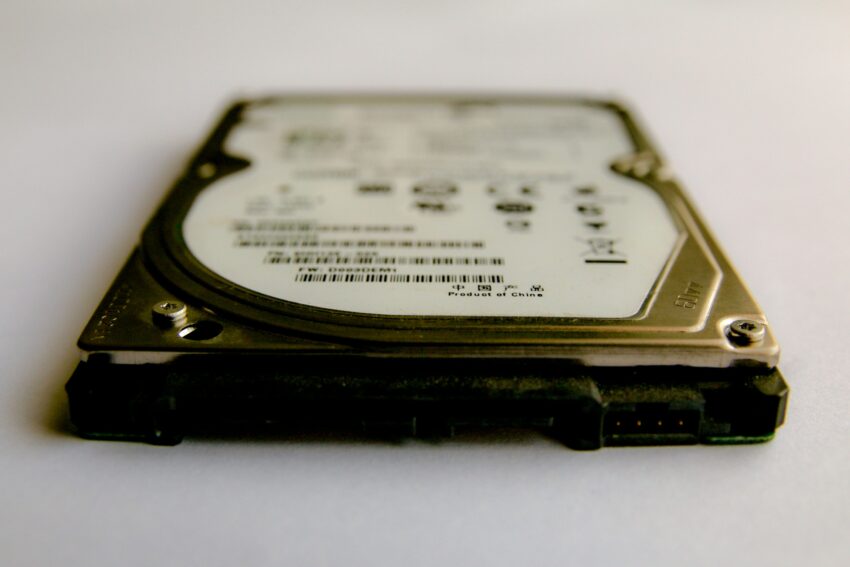
Here is the uncomfortable math. Consumer hard drives run somewhere in the range of a two to five percent annual failure rate based on Backblaze’s published data across hundreds of thousands of units. Stack eight or ten aging drives behind your desk and the odds that at least one has already died are not small. They are close to a coin flip over a few years.
It gets worse if you buy in pairs. Two identical drives purchased on the same day, from the same batch, tend to fail around the same time. Redundancy that shares a failure mode is not redundancy. Solid state drives are not the escape hatch either, because they often fail without the warning noises that give a spinning disk away, and recovery is harder once they do.
Cloud sync services muddy this further. Dropbox and Google Drive are collaboration tools, not archives. They mirror deletions, they choke on multi-gigabyte session folders, and a corrupted file syncs its corruption everywhere within minutes. They are useful for moving work around. They are not where archiving mix sessions should end.
There is one more test worth running. An archive you have never restored from is a rumor. Pick a project from two years ago, pull it off your backup, and open it. If it does not open cleanly, you do not have a backup. You have a folder you feel good about.
The Backup Rule That Makes Archiving Mix Sessions Survivable
Film and television post production settled this argument a long time ago with the 3-2-1 rule. Three copies of the data. Two different types of media. One copy stored somewhere else entirely.
Translated for a mix room, that usually looks like this. Copy one is the working drive you mix from. Copy two is a separate local drive or a small network drive, ideally a different make than your working drive. Copy three lives in the cloud or on a drive at a family member’s house.
Many post facilities now add a fourth requirement: one copy kept offline. A drive that stays connected is exposed to everything your computer is exposed to, including ransomware and a bad power event. Unplugging the archive drive between backups is free and takes two seconds.
The point of two media types is that failure modes are rarely shared. A drive and a cloud bucket do not die of the same cause on the same afternoon. Two drives from the same order frequently do.
You do not need tape. LTO is genuinely excellent for this, with a verified shelf life measured in decades, but it is priced for facilities rather than freelancers. For a solo engineer, two rotating external drives plus a cloud copy covers the same ground.
Consolidate Before Archiving Mix Sessions or It Will Not Open
This is where most archives quietly fail. The session file points to audio scattered across three drives, plugin presets that live in an application folder, and samples from a library you have since replaced. Two years later none of those paths resolve, and the session opens as a wall of offline regions.
Every major DAW has a version of this fix. Pro Tools calls it Save Copy In with all audio included. Logic calls it Consolidate. Cubase has Prepare Archive. Reaper has Consolidate Media. Whatever your DAW calls it, run it before the project leaves your working drive, so that every file the session needs sits inside the project folder.
Do this at the end of the project, while the session is still fresh and you still remember which of the four vocal comp folders was the real one. Archiving mix sessions six months later is how you end up guessing.
Consolidating is necessary but not sufficient. Plugins expire, get discontinued, or stop being authorized on a new machine. Because of that, print an audio version of anything that depends on a plugin you might not have in five years. Print your buses as stems. Print the vocal chain wet. Then write a plain text file listing the plugins and DAW version you used, and drop it in the folder.
What Belongs Inside an Archived Mix Session
Keep the list short enough that you will actually follow it. A complete archive folder should contain:
- The consolidated session file with all audio inside the project folder
- Raw client-supplied files exactly as they arrived, untouched
- Printed stems at mix level, ready to hand off without opening the session
- The approved final mix, plus any alternates you made (instrumental, TV mix, acapella)
- The mastered file, if the client sent it back to you
- A plain text notes file: DAW version, key plugins, sample rate, tempo, and anything strange about the project
- The signed agreement and the final invoice
The raw client files matter more than engineers expect. If a request comes in that needs a genuinely different mix rather than a tweak, you want the original material, not just your printed stems. Keeping the untouched originals also settles any later argument about what you were actually sent.
Name It So Future You Can Search It
Pick one naming pattern and never deviate. Artist, song, year works for almost everyone: Wren_Halloway_Ceiling_Fan_2026. Sortable, searchable, and readable at a glance six years from now. If you are still fighting inconsistent file names inside projects, the same discipline that fixes your version control problem fixes your archive.
Then build an index. A single spreadsheet with columns for artist, song, year, drive location, cloud location, and whether stems were printed. This sounds trivial and it is the single most useful thing on this list, because the index is what turns storage into an archive. Without it you are still opening drives one at a time and guessing.
Update the index the day you close a project. Not monthly, not when you remember. The day.
Archiving Mix Sessions Without a Cloud Copy Is Half a Plan
The offsite copy is the step almost everyone skips, because it is the one that costs money every month and protects against something that has never happened to you yet.
It does not need to be expensive. Cold storage tiers from providers like Backblaze B2 or Amazon S3 Glacier are priced for exactly this use: large files you write once and read almost never. A working mix engineer’s entire back catalog usually fits comfortably in the range of a few dollars a month, which is less than a single plugin sale you will absolutely still buy.
Upload the archive folder once the project closes, then forget it exists. The point is not convenience. The point is that a fire, a theft, or a flooded basement does not end your ability to service a client request. Everything else in your studio is replaceable. The sessions are not.
Decide How Long You Actually Keep Client Work
Almost no freelance engineer has a written retention policy, which means every engineer has an unwritten one: keep everything forever and feel vaguely guilty about storage costs. That is not a policy. It is a slow leak.
Storage is cheap but not free, and infinite retention is a promise you never actually made. Deciding the terms yourself is part of treating archiving mix sessions as a service you provide rather than a mess you tolerate.
Pick a number and put it in your agreement. Two years of full session retention is reasonable for most independent work. Five years for label projects and anything with sync potential. After the window closes, you keep the final mixes and stems, which are small, and you let the full sessions go.
The clause itself can be two sentences. Something like: full session files are retained for twenty-four months after final delivery, after which only final mixes and stems are kept. Clients who need longer retention can arrange it in advance. That single clause belongs alongside the other terms in your mix engineer contract, and it converts an open-ended obligation into a defined service.
Charge for Retrieval, Not Just Revisions
Pulling a two-year-old session, restoring it, verifying it opens, and printing a new version is real work. It is also work most engineers hand over for nothing because the request arrives casually and feels too small to invoice.
It is not too small. Set a flat retrieval fee that covers the archive pull and one alternate version, and quote it the moment the request lands. This is the same principle behind charging a mix recall fee, applied to older work where the lift is larger and the client has usually forgotten what went into the project.
Quote it as a package rather than an hourly rate. Two hundred to pull the session and deliver an instrumental by Thursday lands better than an open meter, and it reflects the years of archiving mix sessions that made a two-day turnaround possible at all.
Clients almost never object. They are asking because they need something, and a clear number attached to a fast turnaround reads as professional. Silence and a free favor read as hobbyist.
Archiving Mix Sessions Is Easier When the Files Arrive Clean
Everything above gets dramatically simpler if the project started organized. When a client dumps forty untitled WAVs into a shared folder, you are not just losing time at the front of the job. You are guaranteeing that the archive you build at the end is built on top of a mess, because the folder structure you inherited is the folder structure you keep.
That is the problem session.trackbloom.com solves. It is an upload link you send your client, and their tracks arrive grouped by instrument: vocals with vocals, drums with drums, keys with keys. Think WeTransfer built for audio. The material shows up sorted, so the raw files you archive at the end are already usable rather than something you would have to decode later.
Clean intake at the start and a real archive at the end are the same discipline showing up twice.
Start With the Last Five Records You Mixed
Do not try to fix a decade of drives this weekend. That project never gets finished, and the failure sours you on the whole idea.
Instead, take the five most recent projects you completed. Consolidate each one, print stems, write the notes file, copy the folder to a second drive and to the cloud, and add five rows to a spreadsheet. That is an afternoon of work, and it covers the projects most likely to generate a request.
Then make it part of closing a job. When you send the final mix, you archive the session. Same day, every time. Six months from now you will have a system instead of a pile, and the next trailer request will be a two-hour invoice rather than a lost weekend. For more on what a clean handoff looks like at delivery, see the stem handoff guide. If you want a deeper read on backup strategy for studios specifically, SonicScoop’s failsafe studio guide covers the hardware side well.